Pre-Login Welcome Message
We have included for our Domain Admins and Cluster Admins the ability to add a Welcome Message.
Enabling the Welcome Message
You can access and enable the welcome message under the Admin section under your profile. Once you are in the admin section you can click on Configuration & Setup scroll to the bottom and you will see the Welcome Message feature. Enable this feature by sliding the toggle to the right. That will open the free-form banner text window. You can edit and preview the message by using the write and preview button on the right of the edit field.
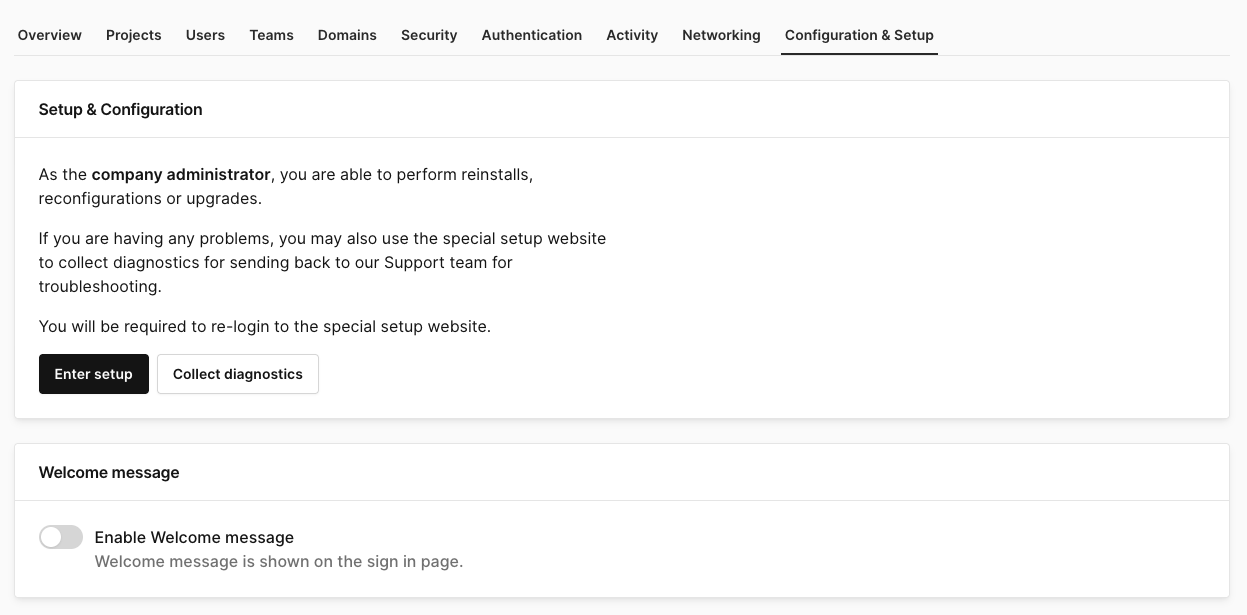
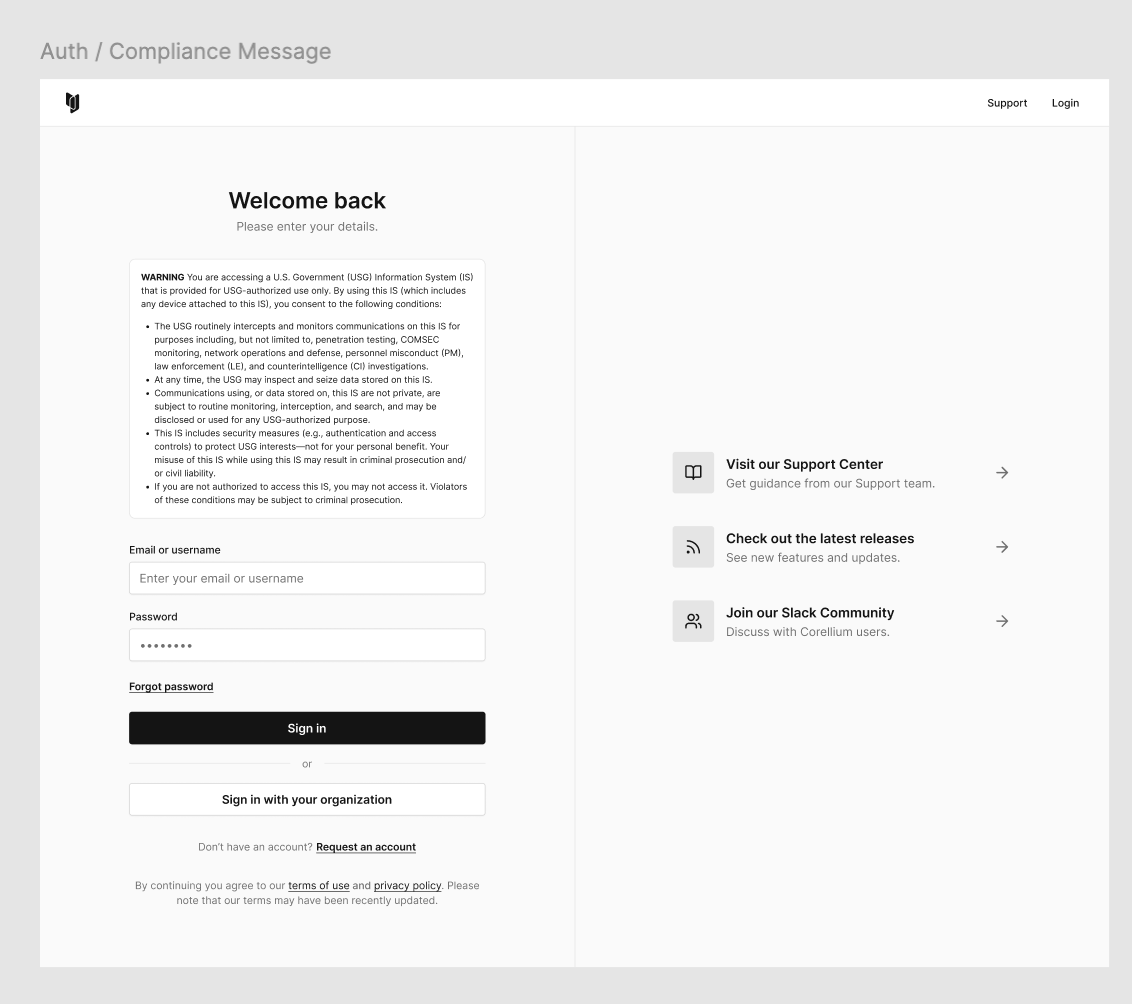
Once saved, the chosen banner and acceptance mode are enforced for every login attempt, ensuring that all users see the required notice and automatically agree to the terms by entering their credentials and logging in.
UI display of the Pre-login Message
Audit Trail
- Each modification to the login banner is logged with:
- Timestamp
- Administrator user ID
- Previous and new banner text
- This audit record simplifies regulatory compliance reviews and helps track when policy text changes. This can be located in our Activity log located in the Admin panel.
Legal & Policy Enforcement
Guarantees that critical notices are presented to every user before credential entry. Eliminates the need for separate policy pages; the message is integrated directly into the login workflow.