Release 7.11.2
-
Updated usability for our on-premise users to gain parity with the 7.11.0 cloud release
-
Updated default configuration of
fallbackOriginalURLfor on-prem appliances -
Various bug fixes and enhancements
Updated usability for our on-premise users to gain parity with the 7.11.0 cloud release
Updated default configuration of fallbackOriginalURL for on-prem appliances
Various bug fixes and enhancements
Corellium has rolled out an extensive update that expands platform compatibility and enhances functionality across several fronts. The mobile OS lineup now includes the latest iOS/iPadOS versions, from iOS 15.8.7 up to iOS 18.7.7, plus iOS/iPadOS 26.x betas and releases, along with support for new hardware like the iPhone 17e. In addition, key feature updates include Corellium MATRIX’s generation of detailed Software Bill of Material (SBOM) artifacts that improve visibility into application dependencies and vulnerabilities, as well as the introduction of a Generic Linux VM running Ubuntu within Viper Advanced & Falcon; this integration lets testers deploy any Linux-based tooling seamlessly alongside mobile phone VMs without resorting to VPNs or complex network configurations. On the administrative side, a new Cluster Administrator role has been introduced for on-premises appliances, offering secure web console access and centralized snapshot management (including clone, restore, rename, share, and delete functions) across compute nodes, thereby reducing manual intervention from support teams. Other enhancements include an upgrade to Frida (version 17.8) that resolves spawn issues with iOS/iPadOS 26.x, and a refined Secure LDAP (LDAPS)implementation allowing either customer-supplied certificates or automatic acceptance of server-presented credentials, ensuring robust encrypted
communications.
We've expanded our platform's compatibility with the latest mobile operating system versions:
iOS/iPadOS
We've expanded out platform's compatibility with the latest mobile models:
iPhone
Corellium MATRIX gains Software Bill of Materials (SBOM) Artifacts
Corellium MATRIX's latest enhancement introduces SBOM support by generating
detailed dependency reports that list every component, including indirect or transitive dependencies, with version details when available, thereby improving application composition visibility and significantly bolstering cybersecurity by pinpointing vulnerabilities, reducing supply chain risks, and minimizing the overall attack surface.
New Generic Linux VM added to Viper Advanced & Falcon
Corellium’s new Generic Linux VM, running Ubuntu alongside mobile phone VMs
within the same project and network, empowers testers by offering a unified platform to deploy any Linux based tooling without the hassles of VPNs or routed connectivity. With this integrated environment, users can easily run services like an Appium server for dynamic mobile app automation or deploy man-in-the-middle proxies to capture live network traffic, thereby streamlining workflows and enhancing testing efficiency within a secure, centralized ecosystem.
We're introducing a new user role and administrative capabilities designed specifically for managing on-premises appliances. The new Cluster Administrator role provides access to advanced troubleshooting and management tools that previously required direct command-line access.
New Capability: Appliance Console Access
New Capability: Snapshot Management
These capabilities significantly reduce the need for manual intervention from Corellium Support teams, providing customers with greater autonomy and control over their on-premises appliance environments.
Updated Frida Versions
The latest Frida release (version 17.8) has been deployed to address spawn issues encountered when working with iOS and iPadOS 26.x, ensuring smoother integration and improved reliability for dynamic instrumentation on these platforms.
LDAPS Support
Corellium's Secure LDAP (LDAPS) support has been updated to provide greater flexibility and enhanced security when connecting to an LDAP server. With this enhancement, if a customer configures and supplies their own certificate, that certificate will be used for establishing the secure connection. In cases where no custom certificate is provided, the system will automatically accept the certificate offered by the LDAP server. This dual-mode approach lets organizations integrate their existing PKI infrastructure or comply with specific security requirements while ensuring all communications remain encrypted and trusted.
Various underlying bugs have been resolved to improve stability and performance. Minor user interface tweaks have been implemented for a more intuitive and user-friendly experience.
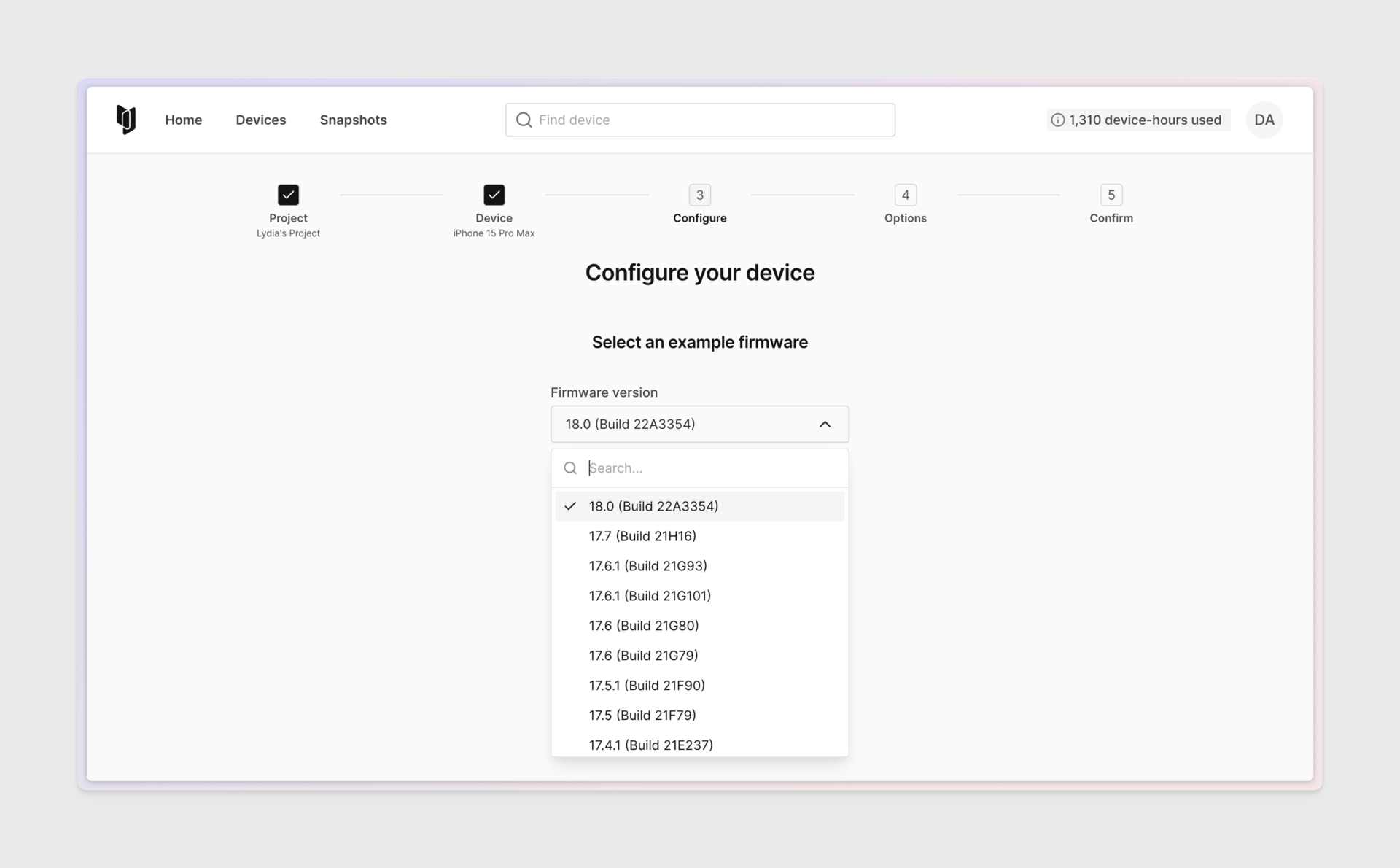
Corellium 7.9 expands device coverage across all supported iOS/iPadOS versions from legacy releases like 12.5.8 up through the newest 26.x builds (including beta tracks of 26.2.0/26.3.0 for SA Premium Falcon and full GA access to 26.3.0) giving you a seamless testing environment on every modern Apple ecosystem; it also adds a one-click "Take Screenshot" button in the UI that instantly downloads a local copy of any iOS/iPadOS or Android virtual device screen without ever writing the image back into the device's camera roll, eliminating export steps and preserving anytime forensic integrity; finally, you can now toggle WAN access on or off at creation time or anytime thereafter, allowing instant isolation to prevent data leakage or evidence alteration, or grant targeted internet connectivity for specific analysis steps. And finally, a brand-new Cluster Administrator role grants web-UI console access that eliminates SSH requirements to the appliance console(s), plus a new unified snapshot management-- clone, restore, rename, share, delete, global limits, and cross-node control, so you can manage every on-premises appliance completely through the platform. Together, these enhancements provide broader OS support, an immediate screenshot workflow, and precise network control all within a secure, unified Corellium platform.
We've expanded our platform's compatibility with the latest mobile operating system versions:
We're introducing a new user role and administrative capabilities designed specifically for managing on-premises appliances. The new Cluster Administrator role provides access to advanced troubleshooting and management tools that previously required direct command-line access.
New Capability: Appliance Console Access
New Capability: Snapshot Management
These capabilities significantly reduce the need for manual intervention from Corellium Support teams, providing customers with greater autonomy and control over their on-premises appliance environments.
Various underlying bugs have been resolved to improve stability and performance. Minor user interface tweaks have been implemented for a more intuitive and user-friendly experience.
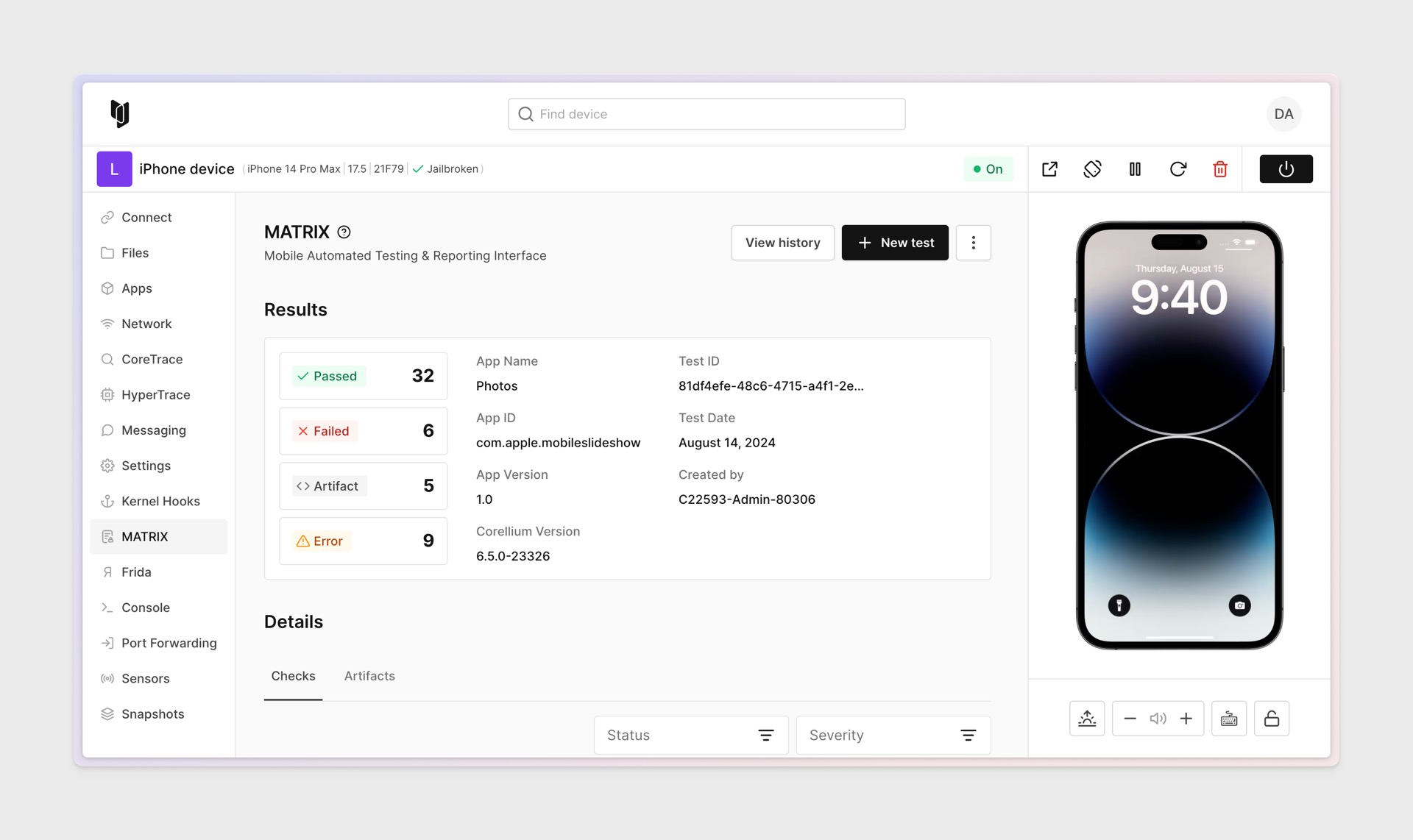
As we close out the year with our final release of 2025, this version was primarily focused on backend enhancements and bug fixes. However, there are some notable feature highlights worth mentioning. We now support the latest versions of iOS and iPadOS 26.1, as well as 26.2 beta releases for our on-premises Premium customers. Additionally, we've introduced new capabilities when uploading device firmware/IPSWs and improved error messaging with more meaningful feedback if a MATRIX test fails to run against an app.
We've expanded our platform's compatibility with the latest mobile operation system versions:
Android
iOS/iPadOS
Enhanced Firmware/IPSW Upload
The latest release marks the first phase in the comprehensive revamp of our firmware management system, introducing an enhanced web-based interface that simplifies the upload process for firmware image files without requiring command line access. This user-friendly platform features a straightforward drag-and-drop interface that supports both individual and batch uploads, complete with progress indicators to efficiently manage large files.
MATRIX: Specific Test-Failed Messages
We have improved the feedback in MATRIX by providing more meaningful context when a test fails. This update helps you better understand what happened and makes it easier to determine next steps.
Update Frida Versions
In this latest update, we've made significant enhancements and resolved several bugs in the built-in versions of Frida 17, available on both iOS/iPadOS and Android platforms. These improvements aim to bolster performance and reliability ensuring seamless integration and functionality within our testing environments. The updates address previously reported issues, enhancing the overall user experience and extending the capabilities of our debugging tools.
Various underlying bugs have been resolved to improve stability and performance. iOS performance is faster, Minor user interface tweaks have been implemented for a more intuitive and user-friendly experience.
We appreciate your continued support as we strive to improve Corellium. We hope these updates will contribute to your success in 2025 and beyond. Please feel free to reach out with any questions or feedback.
From all of us here at Corellium, we wish you a happy holiday!
Corellium 7.6 delivers comprehensive enhancements focused on regulatory compliance, mobile OS support, and administrative capabilities. This release strengthens our platform's security testing capabilities with expanded compliance mapping for critical regulations while providing support for the latest mobile operating systems versions. The update empowers system administrators with advanced management tools and streamlines security testing workflows through enhanced automation and flexibility.
We've expanded out platform's compatibility with the latest mobile operating system versions:
iOS/iPadOS
Cluster Admin Management
We're introducing a new user role and administrative capabilities designed specifically for managing on-premises appliances. The new Cluster Administrator role provides access to advanced troubleshooting and management tools that previously required direct command-line access.
Key Capability: Appliance Console Access
Preserve User Data Installer Page (onsite)
Enhanced support for on-premises appliance reconfigurations with improved data preservation capabilities:
These capabilities significantly reduce the need for manual intervention from Corellium Support teams, providing customers with greater autonomy and control over their on-premises appliance environments.
iOS Front Camera
Enhanced camera testing capabilities for iOS devices that support camera functionality:
iOS Camera QR Code Detection and Decoding
New QR code handling for iPhone 8 + iOS 16, using the back camera:
iOS Keychain Export Enhancement
Enhanced keychain management: Users can now easily export device or app specific keychains directly from iOS and iPadOS devices:
MATRIX: Upload Frida Script to Run When Opening App
You can now upload a Frida script directly in the MATRIX test configuration. The script will automatically run when we launch the application for monitoring, allowing you to bypass security controls or apply custom runtime logic during your scans.
MATRIX: Enhanced Compliance Mapping
Each check in the MATRIX report now includes expanded compliance mapping. Alongside OWASP, CVE and CWE, you'll see coverage for PCI DSS v4, GDPR and HIPAA, making it easier to align results with key regulatory requirements.
Network Mode Options for SA Clusters
Enhanced network management: The server appliance (SA) now allows customers to easily switch Network Type between Bridged, Routed, and NAT mode when reconfiguring the cluster via the admin tab.
Key Benefits for Customers:
Frida Version Update
Frida 17 integration: Following the release of Frida 17 for iOS/iPadOS devices in version 7.5, we've now updated Android devices to Frida 17 as well, providing consistent tooling across all supported platforms.
Bug Fixes & UI Enhancements
Various underlying bugs have been resolved to improve stability and performance. Minor user interface tweaks have been implemented for a more intuitive and user-friendly experience.
Updated usability for our on-premise users to gain parity with the 7.5.0 cloud release
Various bug fixes and enhancements
Updated usability for our on-premise users to gain parity with the 7.4.0 cloud release
Various bug fixes and enhancements
Updated usability for our on-premise users to gain parity with the 7.3.0 cloud release
18.4.0 beta1-rc2 (on-prem Premium Only customers)
This release of Corellium introduces several significant updates, including enhanced security features, improved integration with external systems, support for all the latest iOS versions, and various bug fixes and UI enhancements.
Added SAML Support
Admin Interface: User Activity Logger - A new activity monitoring system has been integrated into the Admin interface. This enhancement provides administrators with detailed insights into user interactions across the platform.
LDAP Authentication Integration - We've implemented enterprise-grade LDAP authentication, enhancing security and streamlining user access management across the platform.
VLAN Tagging for Network Isolation - We've introduced VLAN tagging capabilities at the project level, enabling enhanced network segmentation and isolation for on-premise deployments.
Contact your Account Representative for enablement. Network administrator configuration may be required.
New Check for Android Code Signing Artifacts
Enhanced Crash Report Analysis - We've significantly improved our crash reporting system by integrating disassembly information directly into crash reports, providing deeper insights into application behavior and failure points.
Bug Fixes and Minor UI Enhancements
We’re excited to announce the latest updates and improvements in Version 7.1.0!
This release introduces powerful new features, enhanced functionality, and critical bug fixes to ensure you have the best possible experience.
The 7.0.3 patch release for on-site appliances contains the following:
This patch release for on-site appliances improves the following:
fwservice and fwupdater services are more reliabile and faster.
We made a stack of iterative improvements to our MATRIX feature!
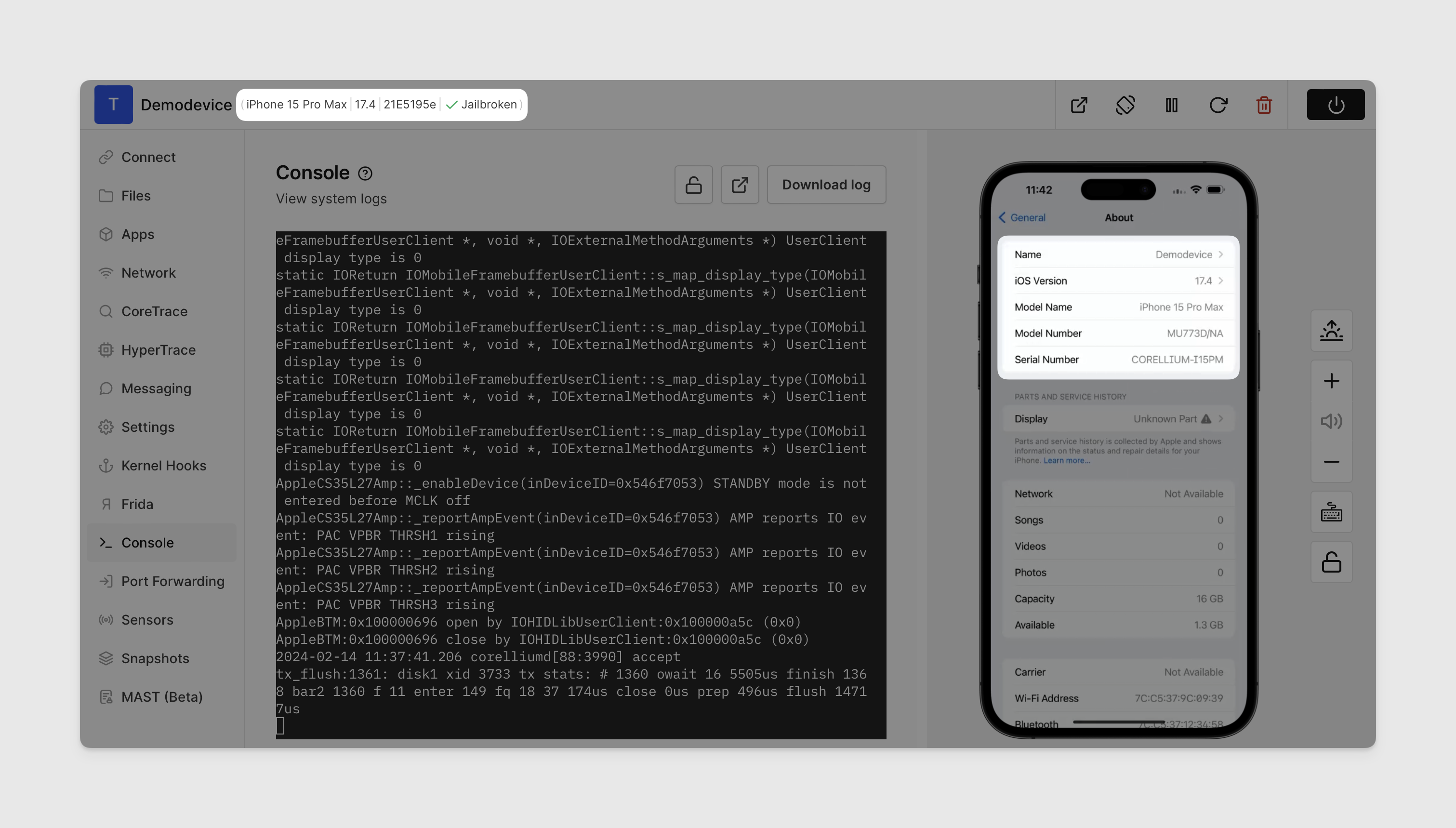
We have enhanced our plan offerings to better align with our customers’ budgets, feature requirements, and environment needs. We now provide a diverse range of plan levels, ensuring that our customers can find options that meet both their financial and operational needs.
This version requires you to install Corellium 6.4.0 first.
Customers with Premium licenses can now run both jailbroken and non-jailbroken iOS 18 beta firwares (build 22A5307).
This version requires you to install Corellium 6.4.0 first.
Corellium is happy to annoumce that we now support LDAP as an addition to our SSO offerings.
For more information about how to configure LDAP please see our documentation.
We've been working hard on making MATRIX more powerful, robust, and interactive. Here are some things you can look forward to in this release.
This month's update includes two features - one that we have had enhanced in beta for a few months now, called MATRIX, and one that is new to our platform called Snapshot Sharing.
If you've been playing with this feature, you may have seen it referred to in our application as MAST (Beta). Today, we're formally rolling out our name for this feature, MATRIX, which stands for Mobile Application Testing and Reporting Interface.
MATRIX now includes 8 new Android checks and 4 new iOS checks.
Today we're rolling out Corellium version 6.2.1 for on-premise and desktop appliances.
Live snapshots capture the state of a virtual device's RAM and filesystem. Corellium can resume live snapshots in the same state as when they were suspended, including running apps. We're bringing Live Snapshots, a feature previously only available on iOS devices, to Android.
For this round of updates, we're taking into account the considerable feedback we've gathered from you, our customers. In response to this valuable feedback, we've made some focused improvements to our web interface to help you better understand the state of your devices and to provide more visibility around device hours and burst usage.
Premium On-Site and Desktop Appliance support has been extended to include up to iOS 17.4 Beta.

We have released our automated mobile app security testing tool, known as MATRIX, to our Business Cloud customers. Available for both iOS and Android devices, MATRIX drastically reduces the effort, cost, and time required to perform professional-grade penetration testing.
This time around, we've introduced a set of automated bug fixes for MATRIX (Beta) to enhance your experience, exclusively made available to on-premises customers. These fixes include but are not limited to:
This release includes our MATRIX Beta; as well as new firmware, UI changes, and other improvements.
Introducing the beta of our new MATRIX solution for DevSecOps! You can use Corellium to test your mobile applications on a wide range of devices without the need to purchase and maintain physical devices.
Corellium proudly presents iPhone 15 devices! iPhone 15, 15 Plus, 15 Pro and 15 Pro Max, along with iOS up to version 17.0.3
iOS 17 Beta is now available for on-premises customers.
In this minor release, we fixed a CoreTrace bug.
Corellium is ready to show the following updates, made available to our on-premises customers:
Corellium introduces support for iOS 16.3, available for on-premises customers.
In this on-premises release, Corellium is proud to present:
Support for iOS 16.2 is now available for our on-premises customers.
Implemented a documentation fix.
The highly anticipated releases of iOS 16.1, 16.2 Beta, and Android 13 are now supported.
This release fixes an issue with IOMMU passthrough on On-Site Deployments.
Corellium is proud to announce iPhone 14 and iPhone 14 Pro support, improvements to the device boot process, and performance improvements.
This release was removed.
Offered exclusively to customers with On-Site Deployments, 3.13.2 provides iOS 16 support, improvements to the device boot process, and performance improvements.
Corellium introduces support for iOS 16 Beta 5. This release is available as a beta exclusively to customers with On-Site Deployments.
Corellium is excited to add support for the new iOS 16. This new release is available as a beta exclusively to customers with On-Site Deployments.
This release adds Quick Connect SSH tunneling, a Rotate button for iOS, XPC support for CoreTrace on iOS, and OpenGApps for Android 12.
Our latest release adds website improvements, an API update, bug fixes, and a new user profile page.
Corellium version 3.9.0 contains updated Frida support as well as bug fixes and improvements to the user experience.
For this release we have added support for iOS 15.4 and 15.4.1.
The Corellium team is excited to announce the release of many user experience improvements, simulate receiving SMS to iOS, frames of various Android devices, Android 12 upgrade, as well as bug fixes.
In this latest release, we've added iOS 15.3 and iOS 15.3.1, STUN for WebRTC to allow for functional displays in strict firewall environments, improved snapshot functionality, added a start timestamp to the instance object on the Corellium-API, and other various bug fixes.
We are excited to announce in this release that we've added Pop-Out Displays for Virtual Device Screens, and a bug fix for cloning Snapshots.
This release provides iBoot for iPhone 12, improved API instructions for on-premises customers, and bug fixes for custom kernel uploads & API internet access toggling.
In this release, we've added support for iPhone 13 and iOS peripherals, including Biometrics and Accelerometer. We also improved our error handling.
Our latest release brings support for iOS 14.8 and iOS 15, as well as support for GPS on iOS device.
This update adds support for iOS 14.7 and iOS 15. Since iOS 15 is still in beta, it's only supported for on-premises customers.
In this update, we're very excited to add support for Sensors and Camera for our virtual Android devices, as well as beta support for Android 12!
This release provides support for 14.5 betas and Network Monitor for iOS.
This update provides support for iOS 14.4 and adds Frida support for iOS-based devices.
We're very excited to announce that this release brings Apple device models to Individual accounts. With this release, Individual accounts will also see new advanced settings, including the ability to upload custom kernels and ramdisks. In addition, all accounts will now be able to adjust the number of CPU cores and the amount of RAM assigned to generic Android devices.
This update brings Enterprise customers support for the Apple A14 devices, including iPhone 12, iPhone 12 mini, iPhone 12 Pro, and iPhone 12 Pro Max. It also implements encryption for AWS S3 backed volumes, and fixes some minor bugs in iOS 14 support.
In this release, a key highlight is that users are now allotted Stored Device slots, enabling users to store Off devices without occupying CPU cores. For each On device permitted on the user's account, up to 5 total devices can be stored. For example, a user with a 3-device Individual account will now have 15 "stored device" slots. Note that On devices count toward the total stored device count, so a user with a 3-device account could have 3 On devices and 12 Off devices.