Connect
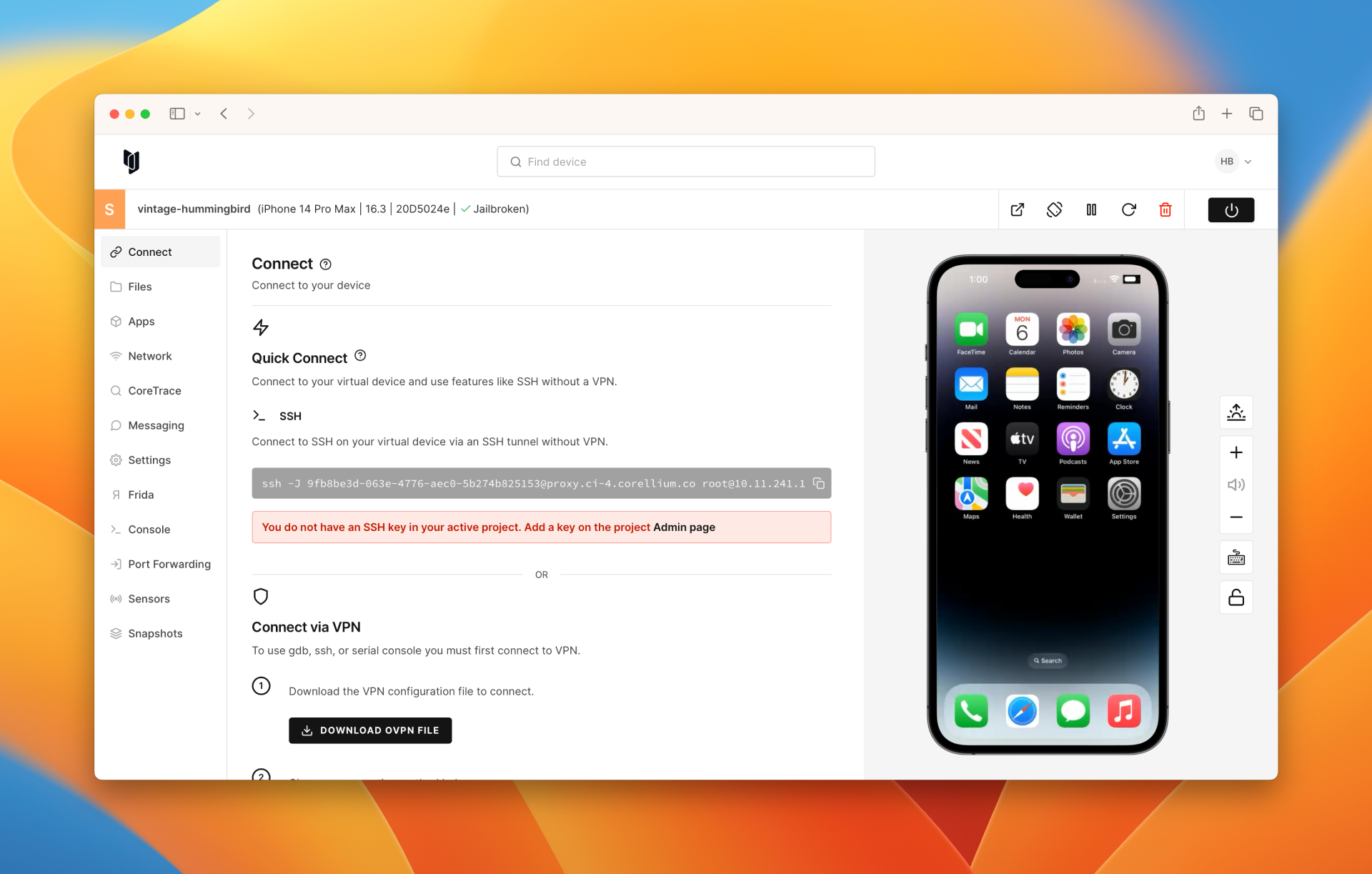
Connect via Quick Connect
Corellium’s Quick Connect feature lets you connect to your virtual devices and access tools such as ADB, HTTP proxying, and Frida, without the need for a VPN by leveraging SSH tunneling.
Connect via VPN
For devices hosted on the public cloud, Corellium provides openVPN configuration files for you automatically in order to gain local network access to your VMs. These configuration files are unique to each Corellium project. Simply import the .ovpn file into your VPN client and connect.
Connect via ADB
The Android Debug Bridge, or adb, is a command-line tool for Android that enables the user to communicate with a device. For example, you can use adb to push and pull files, install applications, run commands on the device, or retrieve logs.
Connect via SSH
The Secure Shell protocol, or SSH, is a method of secure remote login from one computer to another. You can SSH to a jailbroken iOS device on Corellium in a few clicks.
Connect via USBFlux
The USBFlux app allows you to connect your virtual iOS devices to programs like Xcode using the USB protocol on macOS and Linux - just like plugging your physical device in with a USB cable.
Connect via LLDB
You can connect to the stub via LLDB with the address and port for your particular virtual device, located at the bottom of the virtual device page.
Connect via Serial Console
If you prefer to view the device's serial console input/output in your local console program, such as Terminal, you can copy and paste the Console link from the Connect tab to your local console app. This can be convenient for enabling advanced console features, such as search.
Connect to WiFi
Virtual devices will automatically connect to the network upon creation. However, if you deliberately disconnect a device and need to reconnect, you can easily do so.